> ## Content Index
> Fetch the complete content index at: https://blog.addpipe.com/llms.txt
> Use this file to discover other available public pages before exploring further.
# Recording mp3 audio in HTML5 using vmsg - a WebAssembly library based on LAME
- URL: https://blog.addpipe.com/recording-mp3-audio-in-html5-using-vmsg-a-webassembly-library-based-on-lame/
- Published: 2018-07-09T15:50:58.000Z
- Updated: 2026-05-21T08:22:14.000Z
- Author: Octavian
- Tags: Record Audio In HTML5, Technology, Tutorials, #Import 2026-05-22 13:18
*This is the 3rd post in our new *[recording audio in HTML5](https://blog.addpipe.com/tag/record-audio-in-html5/)* series. We’ve previously covered how to use [Recorder.js to capture uncompressed pcm audio](https://blog.addpipe.com/using-recorder-js-to-capture-wav-audio-in-your-html5-web-site/) and [WebAudioRecorder.js to capture pcm, mp3 and Vorbis audio](https://blog.addpipe.com/using-webaudiorecorder-js-to-record-audio-on-your-website/) in the browser.*
We’ll now briefly look at [vmsg](https://github.com/Kagami/vmsg).
[vmsg](https://github.com/Kagami/vmsg) is very similar to [WebAudioRecorder.js](https://github.com/higuma/web-audio-recorder-js) in that it uses a compiled version of the [LAME mp3 encoding library](http://lame.sourceforge.net/) but they differ in the way that library was compiled:
- Web Audio Recorder used a JavaScript library compiled from LAME’s C code to a subset of JavaScript called *asm.js*.
- vmsg uses the same C based LAME mp3 encoding library but compiled to a newer WebAssembly library which, in theory, should be faster than the asm.js one and smaller (73KB vs 114 KB gzipped).
- vmsg uses the latest version of the LAME library ([3.100](https://svn.code.sf.net/p/lame/svn/trunk/lame/doc/html/history.html) from October 2017)
But encoding mp3 is very fast on modern CPUs – even when using the asm.js version of the LAME mp3 encoder – so choosing between Web Audio Recorder and vmsg comes down to ease of use, browser support, whether or not the library is still maintained and personal preference.
vmsg also differs in that:
1. it includes a recording UI/modal with start/stop buttons + gain and pitch sliders
2. it handles the `getUserMedia()` code required to access the microphone on desktop and mobile devices
## Building a simple demo
Since vmsg’s 3 official demos ([live demo](https://kagami.github.io/vmsg/), [live coding demo](https://codesandbox.io/s/v67oz43lm7), [demo folder](https://github.com/Kagami/vmsg/tree/master/demo)) are all React based we’re going to set up a simple JS/HTML demo.
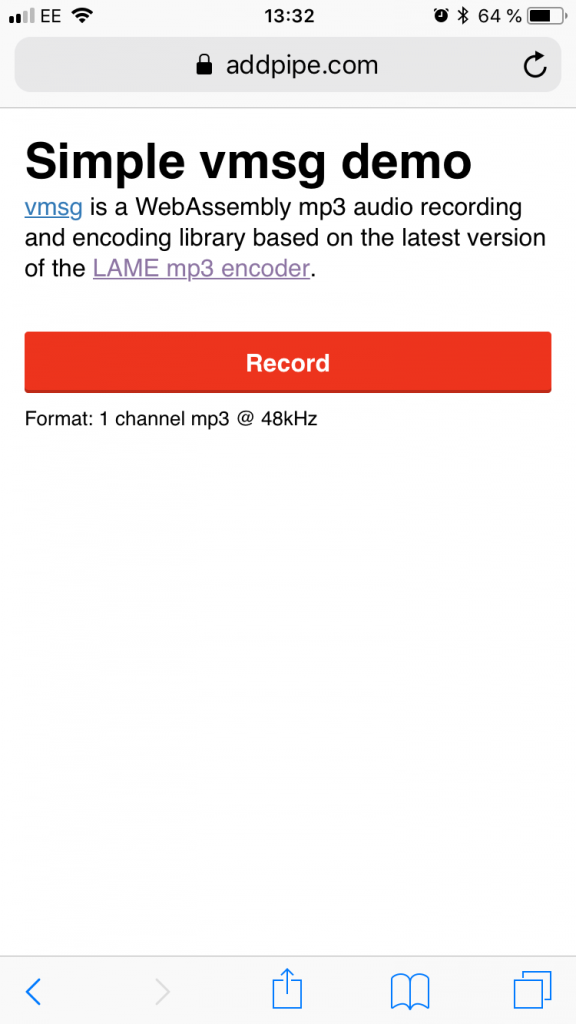Our vmsg mp3 audio recording demo running on Safari/iOS11
You can check out our demo live [here](https://addpipe.com/tech-demos/simple-vmsg-demo/), the code is [on GitHub](https://github.com/addpipe/simple-vmsg-demo).
We’ll start off with a simple `index.html` that includes `app.js` as an ES6 module and `vmsg.css` which contains CSS classes for vmsg’s UI.
```html
Simple vmsg audio recording demo
```
Module scripts are deferred so even though `app.js` is included at the beginning it will not execute until the document has finished parsing thus the `recordButton` element will be available in `app.js`.
Here’s the `app.js` code:
```javascript
import {
record
} from "./vmsg.js";
let recordButton = document.getElementById("recordButton");
recordButton.onclick = function() {
record({
wasmURL: "vmsg.wasm"
}).then(blob => {
console.log("Recorded MP3", blob);
var url = URL.createObjectURL(blob);
var preview = document.createElement('audio');
preview.controls = true;
preview.src = url;
document.body.appendChild(preview);
});
};
```
The `app.js` module imports the record function from `vmsg.js` and sets up the `onclick` event function for the Record button. When the button is clicked the `record()` function is executed and the vmsg UI shows up, a modal that greyes out everything else:
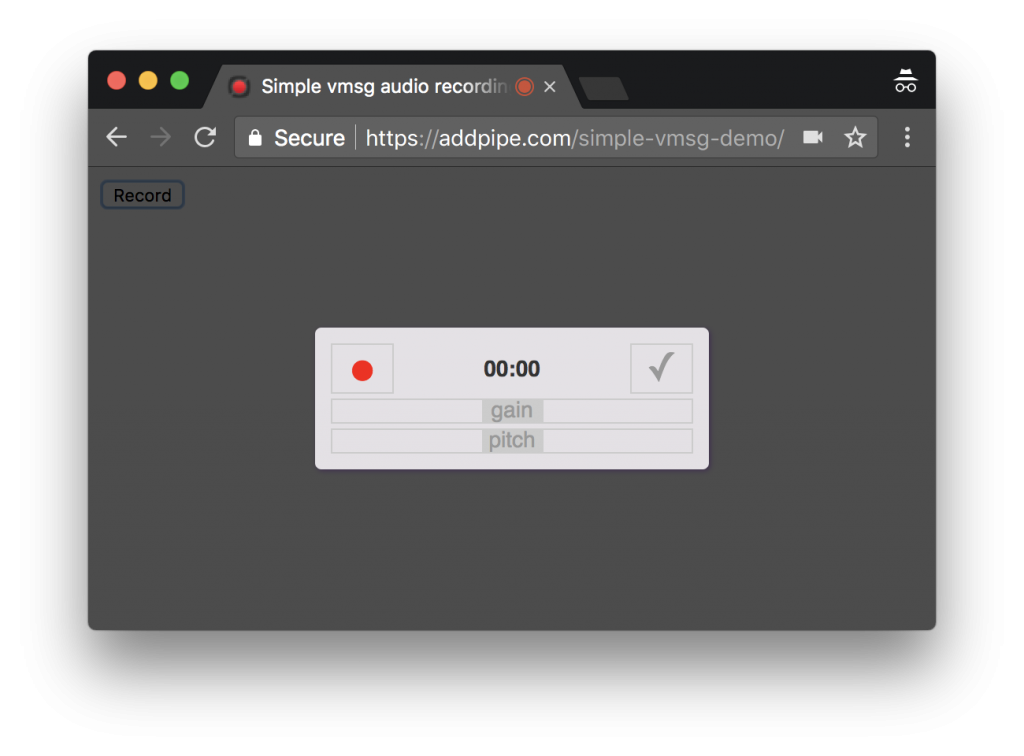The vmsg UI includes sliders for pitch and gain
The `record()` function receives the path to the `vmsg.wasm` WebAssembly library through the `wasmURL` object property. If omitted the default path is `/static/js/vmsg.wasm`. No other properties but the path to a webassembly polyfill (`shimURL`) and the pitch (`pitch`, values between -1 and 1) can be sent.
For this demo we’ve placed everything in the same folder:
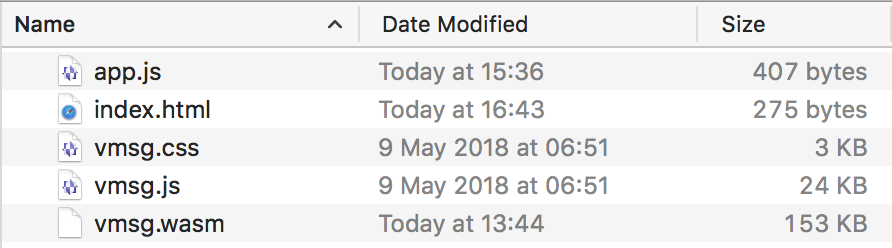
After recording, when you click the top right checkmark, the blob is made available to the `app.js code`. In our code, we add it as an `