> ## Content Index
> Fetch the complete content index at: https://blog.addpipe.com/llms.txt
> Use this file to discover other available public pages before exploring further.
# Screen Sharing a Single Tab With getViewportMedia or getDisplayMedia
- URL: https://blog.addpipe.com/screen-sharing-a-single-tab-with-getviewportmedia-or-getdisplaymedia/
- Published: 2025-09-03T08:36:44.000Z
- Updated: 2026-05-21T08:00:48.000Z
- Author: Octavian
- Tags: getDisplayMedia, getViewportMedia, #Import 2026-05-22 13:18
When implementing screen-sharing applications in the browser, it is possible to ask/force the user to share a single browser tab. This can be achieved today in Chrome, Edge, and Opera by using the the `preferCurrentTab` constraint in `getDisplayMedia()`. Meanwhile, a new dedicated method called `getViewportMedia()` is being discussed.
### What Is getViewportMedia?
`getViewportMedia` is a proposed extension to the [Screen Capture API](https://w3c.github.io/mediacapture-screen-share/) that allows capturing just the browser's current tab (viewport) without showing a source picker. Instead, it should only prompt the user for permission.
### Implementation Status & Browser Support
Right now, **no major browser has implemented `getViewportMedia`**, as the specification is still in draft form. Some browsers are still exploring or tracking the feature (for example, [Mozilla has an open bug about it](https://bugzilla.mozilla.org/show%5Fbug.cgi?id=1813091)), but **nothing is supported in production**.
- **Editor's Draft URL:** (bleeding-edge version)
- **Working Draft URL:** (more stable reference point)
### What Can You Use Instead?
Currently, the most dependable option for capturing screen content is the **`getDisplayMedia()`** API, which:
- Prompts the user to select a screen, window, or tab.
- Works across most modern browsers (e.g., Chrome, Firefox, Safari).
- Requires user interaction for each request (there's no persistence).
- Is supported within [secure contexts](https://developer.mozilla.org/en-US/docs/Web/Security/Secure%5FContexts) (`https://`, `file://`, `localhost`)
And, **in selected browsers, when paired with `preferCurrentTab:true`, you can ask the user to share only the current tab** (as shown in the image below).
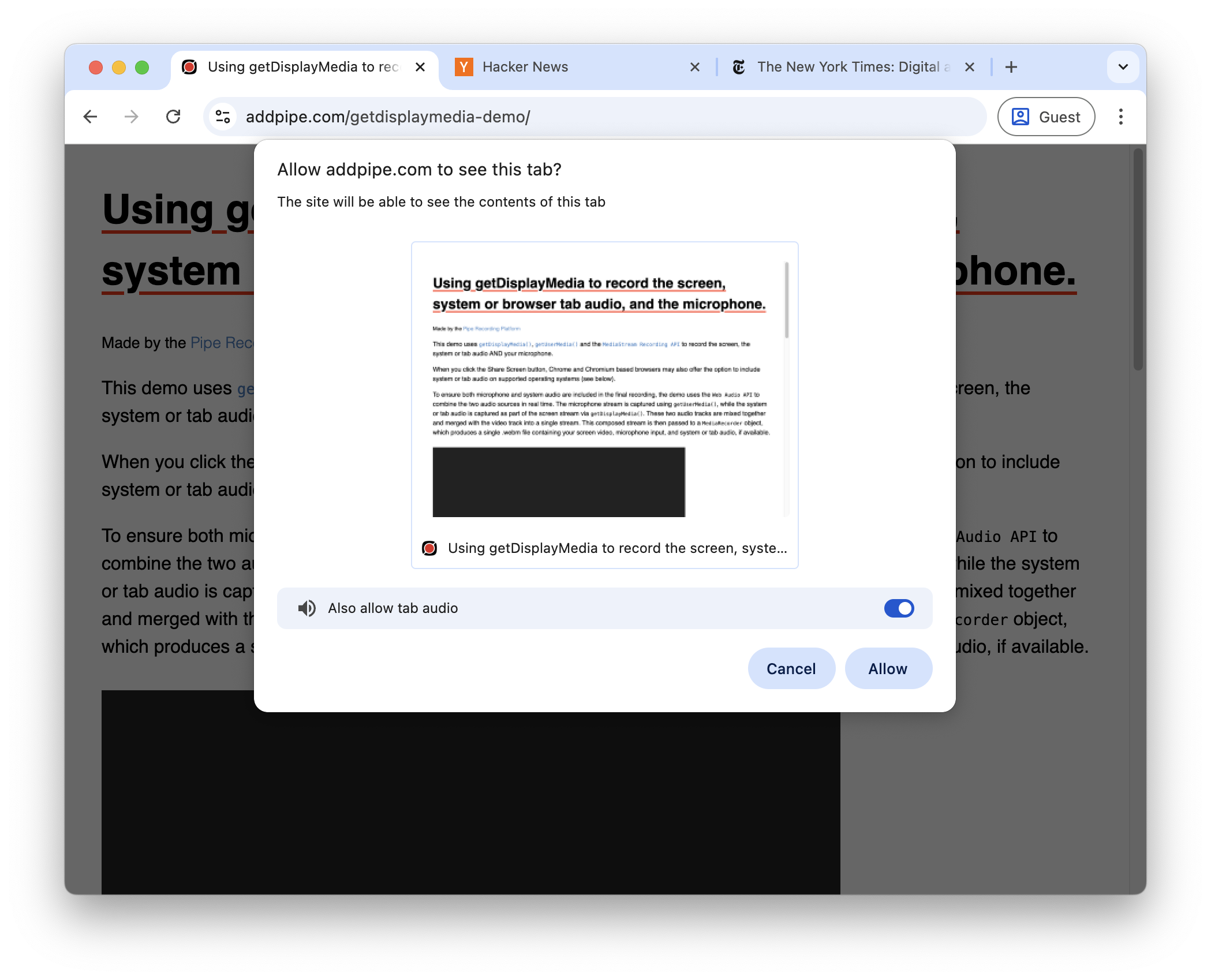
`getDisplayMedia` prompt in Chrome 139 with `preferCurrentTab:true`
It also:
- Prompts the user to *Allow* or *Cancel* (not to choose the surface)
- Allows sharing of tab audio
Unfortunately, it is only [supported on Chrome & Edge 94+ and Opera 80+](https://developer.mozilla.org/en-US/docs/Web/API/MediaDevices/getDisplayMedia#browser%5Fcompatibility).
It is worth noting that older Chrome implementations only suggested the user to share the current tab by adding and pre-selecting a new *This Tab* option in the surface picker. The user could still choose a different surface.
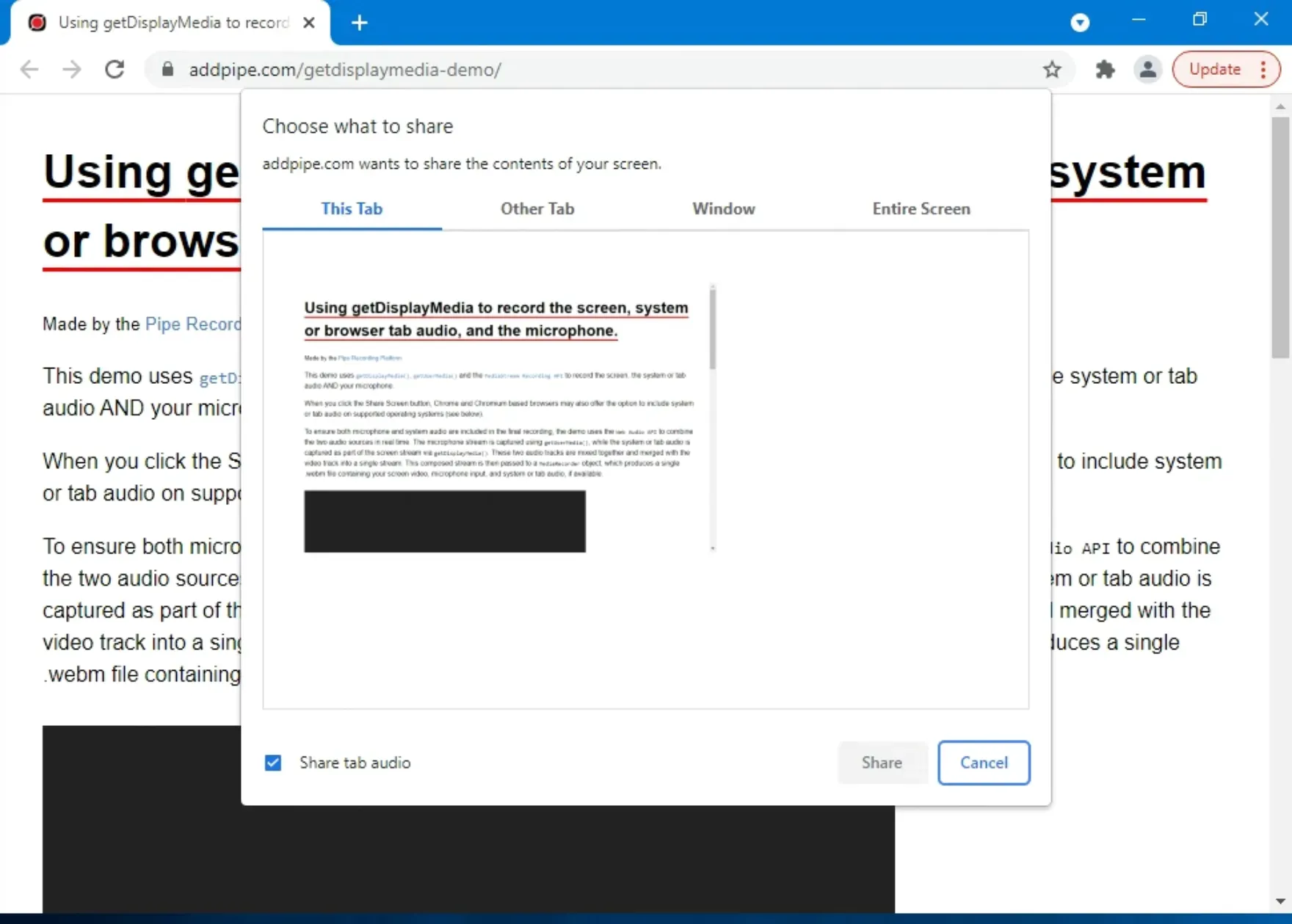
The Chrome 94 implementation of `preferCurrentTab:true` acted like a hint, not an enforcement.
### Live Demo
You can test it using our [getDisplayMedia demo](https://addpipe.com/getdisplaymedia-demo/), as `preferCurrentTab` is one of the available constraints you can play with. Just click on *Change `getDisplayMedia()` constraints*, enable the `preferCurrentTab` constraint, and set it to `true` before clicking the *Share Screen* button.
### Code Example
Here's a simple **example of using getDisplayMedia()** with the **preferCurrentTab:true** constraint:
```html
```