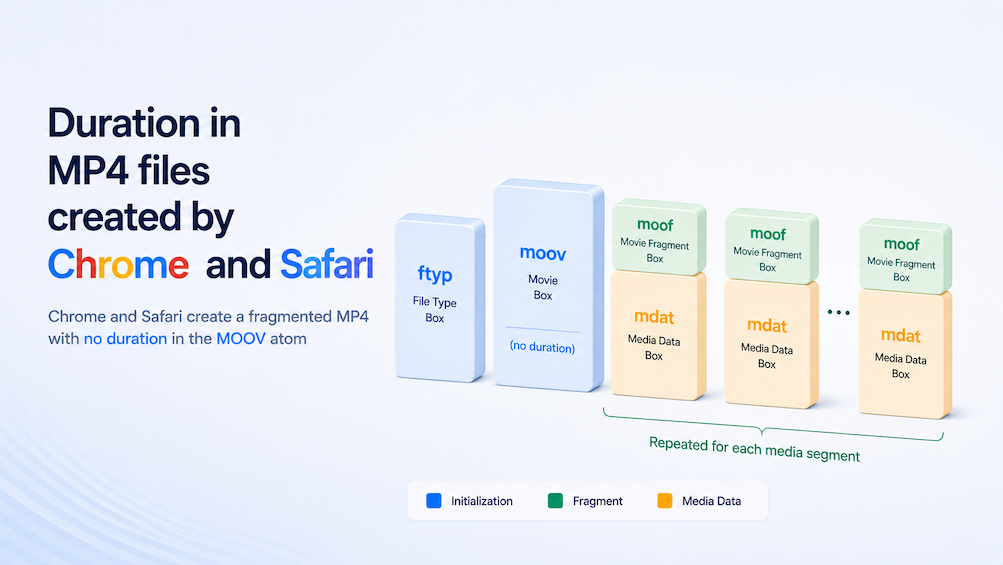
Duration in MP4 Files Produced by Chrome/Safari
Support for recording audio and video into the MP4 container was added to Chrome's MediaRecorder implementation in June 2024 with Chrome 126. You can follow the full history in this bug report.
In our tests using our MediaStream Recording API demo, Chrome 147 produced fragmented MP4 files (commonly abbreviated as fMP4), regardless of whether or not we used chunks/timeslices when starting the recording.
This was immediately visible with mp4dump, which displays the entire atom/box structure of an MP4 file. On macOS, you can install it using brew install bento4 and run it using mp4dump video.mp4.
We also observed that the chunk sizes produced when using the MediaRecorder API's timeslice argument do not align with the timeslice value itself, but instead align at the byte level with MP4 fragment boundaries, which likely explains why the resulting chunks don't strictly adhere to the specified timeslice value. (Chromium bug report).
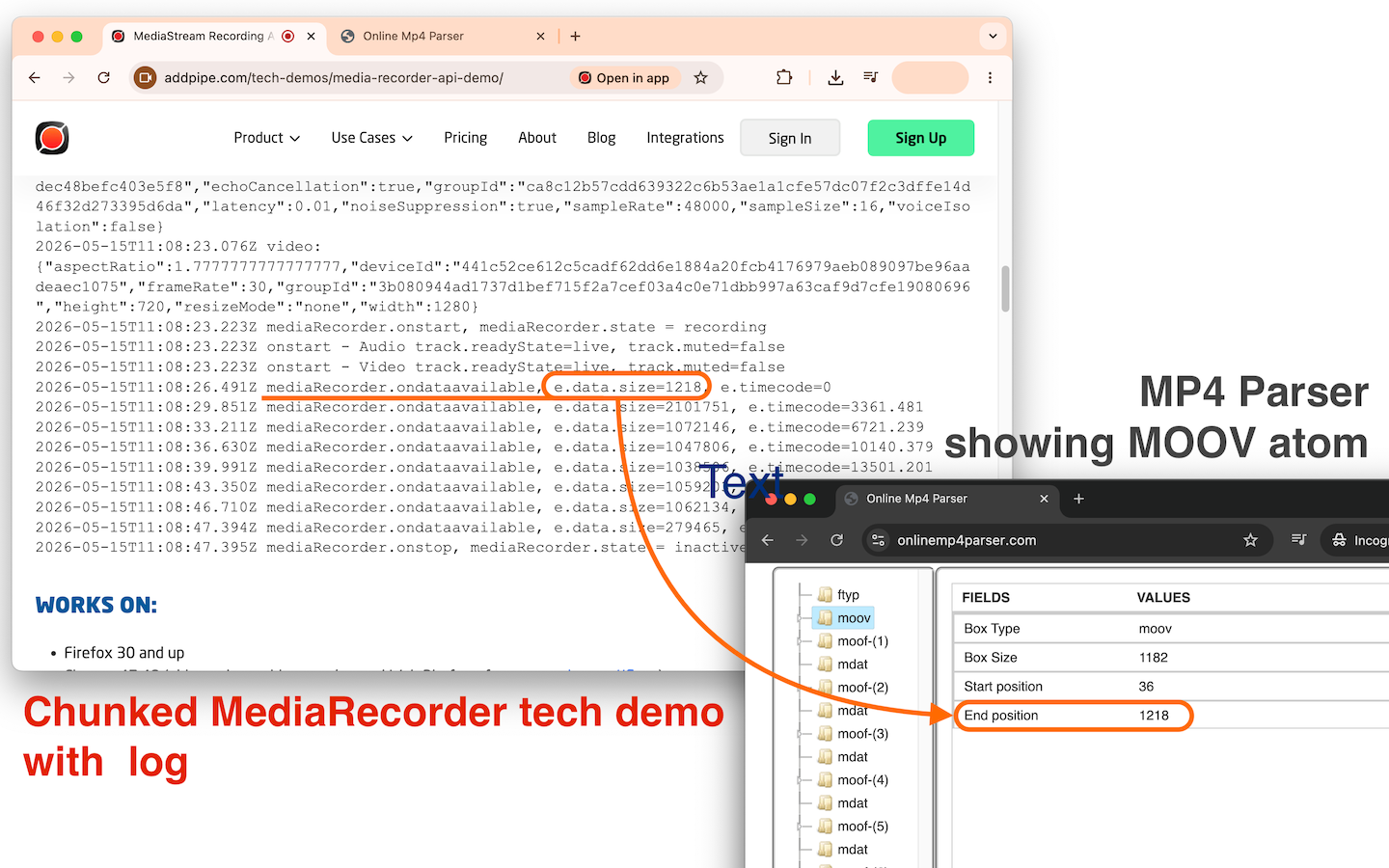
Safari — which historically only supported MP4 but now also supports WebM — produces the same type of MP4, but its implementation follows the timeslice argument more closely, and calling the MediaRecorder's requestData() function does invoke the ondataavailable callback function with actual data.
Quick overview of the fragmented MP4 container
In the MP4 container format, the file is organized into “atoms” or “boxes.” Common ones in a fragmented MP4 file include:
ftyp- file type informationmoov- essential metadata about the filemoof-metadata box for a single fragmentmdat- the actual media data (video/audio)
In a fragmented MP4, the file is structured as a sequence of moof+mdat pairs after an initial ftyp/moov:
[ftyp] [moov] [moof][mdat] [moof][mdat] [moof][mdat] ...Here's a quick mp4dump from a fragmented MP4 file recorded in Safari with 1 second chunks:
macbook@MacBookPro Downloads % mp4dump video_7195946.mp4
[ftyp] size=8+20
  major_brand = iso5
  minor_version = 1
  compatible_brand = isom
  compatible_brand = iso5
  compatible_brand = hlsf
[moov] size=8+1101
  [mvhd] size=12+96
    timescale = 600
    duration = 0
    duration(ms) = 0
  [trak] size=8+420
    [tkhd] size=12+80, flags=1
      enabled = 1
      id = 1
      duration = 0
      width = 0.000000
      height = 0.000000
    [mdia] size=8+320
      [mdhd] size=12+20
        timescale = 48000
        duration = 0
        duration(ms) = 0
        language = und
...
Take notice of the 3 duration entries in the moov atom with value 0.
Critical MOOV atom
The moov atom contains important indexing and playback information, especially with non-fragmented MP4 files. It is similar to the Cues element in a WebM.
We've made a few quick tests, and in the following situations, the moov atom was at the very end after all the video byte data.
- MOV recordings made with the Camera app on an iPhone 13 PRO running iOS 26
- In Safari on the spot on the same iPhone through HTML Media Capture
- MP4 recordings made with the Camera app on a Samsung S21 FE
If the moov atom is at the end, the browser must download the entire file before it can start playing. This is why "fast start" (moving moov to the front of the file) matters for progressive download.
As a result, our video recording platform moves the moov atom to the beginning when processing such files on the server.
The MediaStream Recording API implementations in Chrome and Safari place the moov atom at the beginning of the fragmented MP4 file, even when recording using chunks/timeslices. However, the moov atom does not contain duration metadata.
As a result, from our testing, such MP4 files, without further processing:
- When delivered over the web, the MP4 file needs to be downloaded and processed before the total duration is available, and seeking can work.
- have troubles playing in some players (Media Player on Windows 11 does not show duration, playhead does not move, and seeking is disabled; VLC plays it OK)
We've tested web delivery with several large 172MB+ fMP4 files created by Chrome, loaded into a simple HTML video player for playback, and played over a Slow/Fast 4G connection using Chrome's built-in throttling feature. Chrome had to download a significant portion of these files before playback became available. With Safari, it is the same story: the MOOV atom is there, but all the duration fields (mvhd, tkhd, mdhd) are 0. There's no immediately available duration metadata, and the file needs to be downloaded.
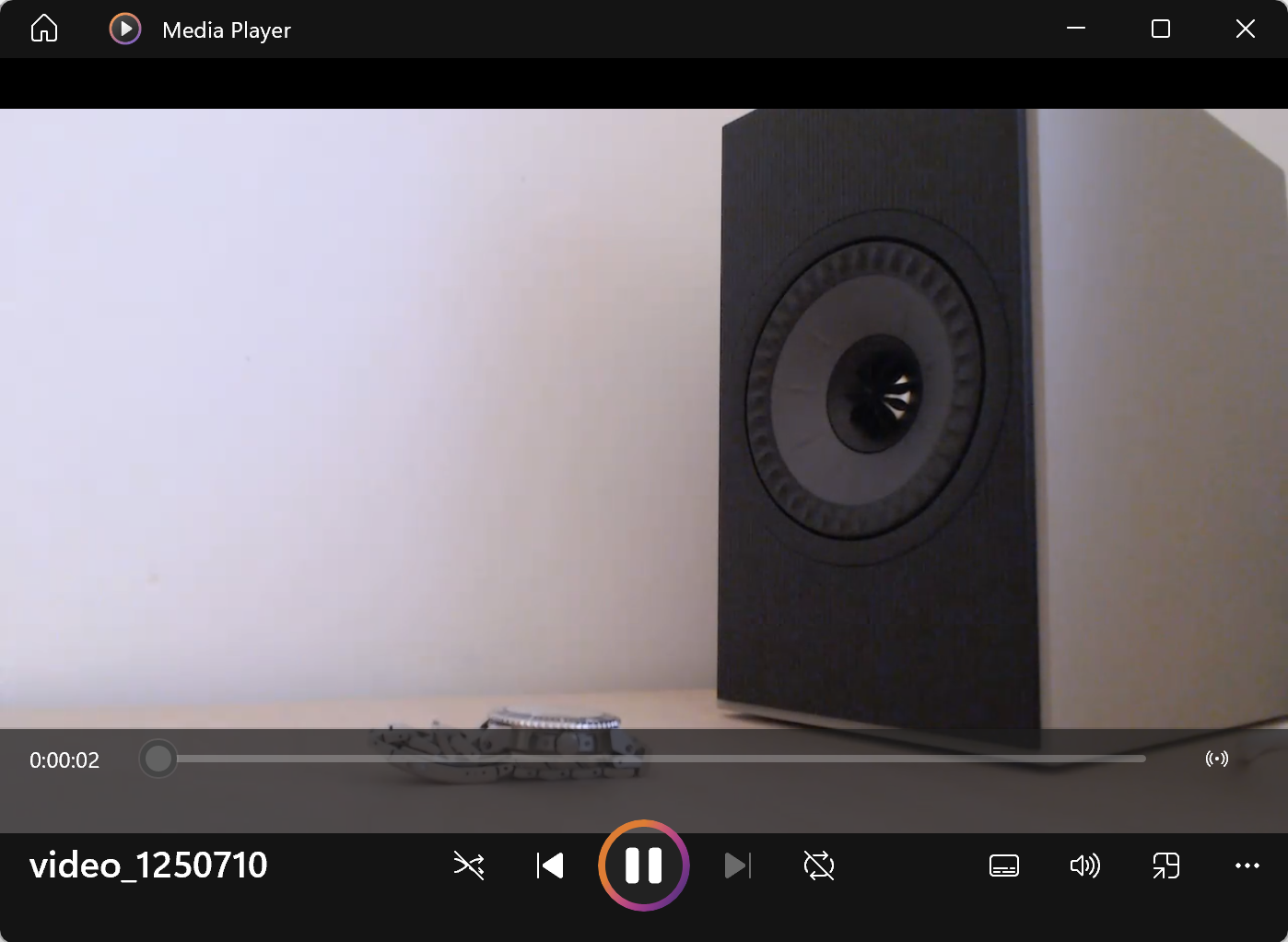
It is clear such files need further processing if one wants to reliably play these across common media players and delivery methods (local playback, HTTPS streaming, etc.).
That’s why our video recording platform processes MP4 files received from various MediaRecorder implementations and HTML Media Capture uploads into standard (non-fragmented) MP4 containers with H.264 video and AAC audio. During this process, we enable “fast start” by relocating the moov atom to the beginning of the file, and we also compute and inject any missing duration metadata.
Further Notes:
- Our MediaStream Recording API tech demo includes detailed information about the codecs and containers supported across different browsers.
- For a deeper explanation of fragmented MP4 files, see this excellent answer on StackOverflow.
- In our testing, we've also used https://www.onlinemp4parser.com/ to:
- quickly determine whether an MP4 file is fragmented
- inspect the position of the moov atom (see below) within the file structure
- get an overview of bitrate and framerate across the full duration of the video
- As far as web-based tools go, the MP4Box.js Structure Viewer is also worth exploring.
