Recording True Stereo Audio Using getUserMedia
Both Firefox and Chrome support recording 2-channel audio and the channelCount audio constraint. We've covered this ground in more detail back in 2017 in our audio constraints in getUserMedia article.
We've recently revisited the space.
Using Chrome and Firefox with compatible hardware (with 2, dual, or stereo mics), you can get 2-channel audio. In our office, we quickly managed to get 2-channel audio using:
- 2017 15-inch MacBook PRO's built-in microphones
- 2017 12-inch MacBook's built-in microphones
- Logitech C920 webcam
- Logitech C925E webcam
- OBSBOT Meet 2 webcam
- Logitech StreamCam
- Samsung's 4k SlimFit Cam that ships with some Samsung monitors
Notably, our M1, M2 and M3 MacBook PROs had only 1 channel output from the built-in microphones.
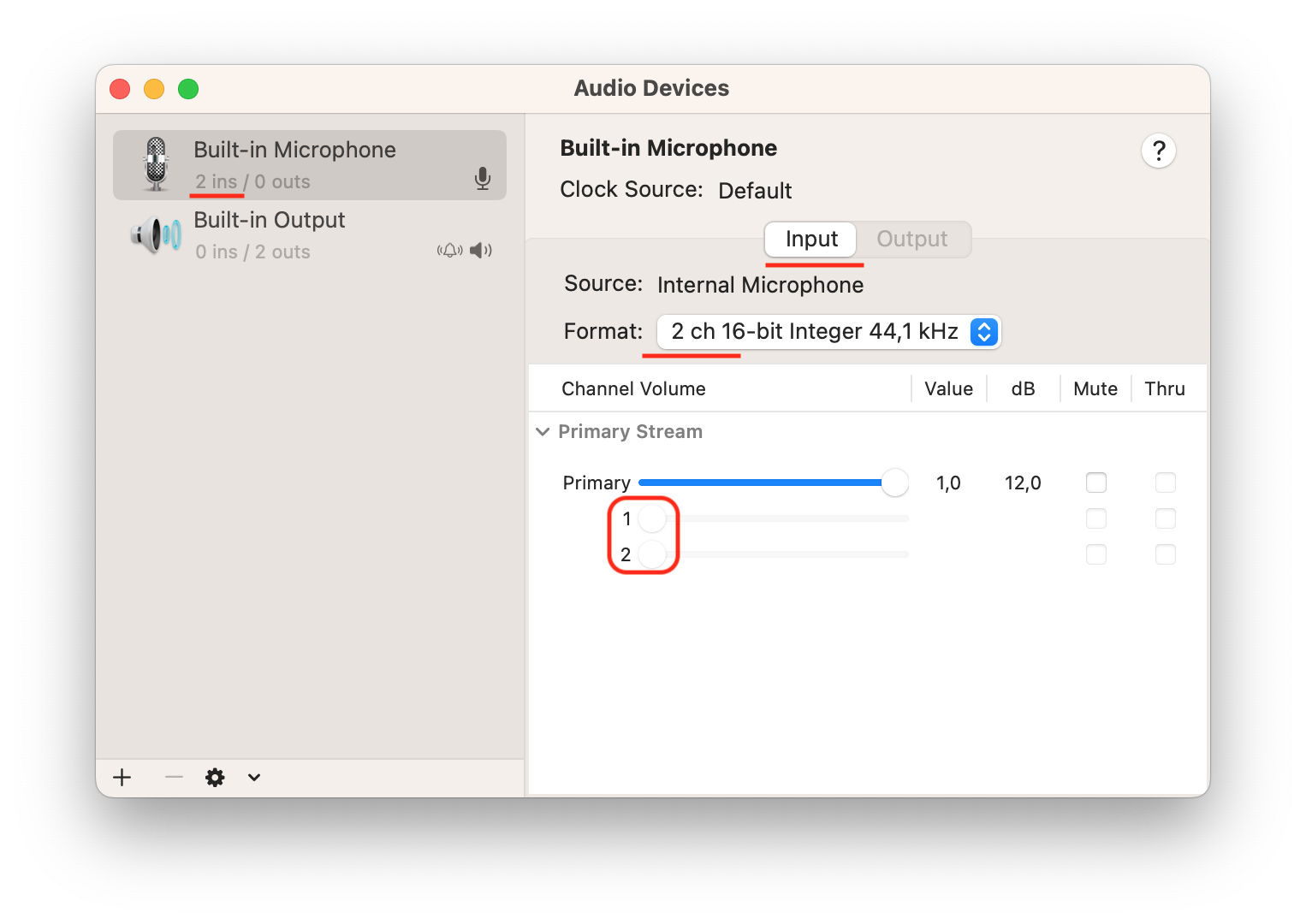
In macOS, it is easy to determine whether or not a device supports mono or 2-channel audio. Open the built-in Audio MIDI Setup app and look for the input channels.
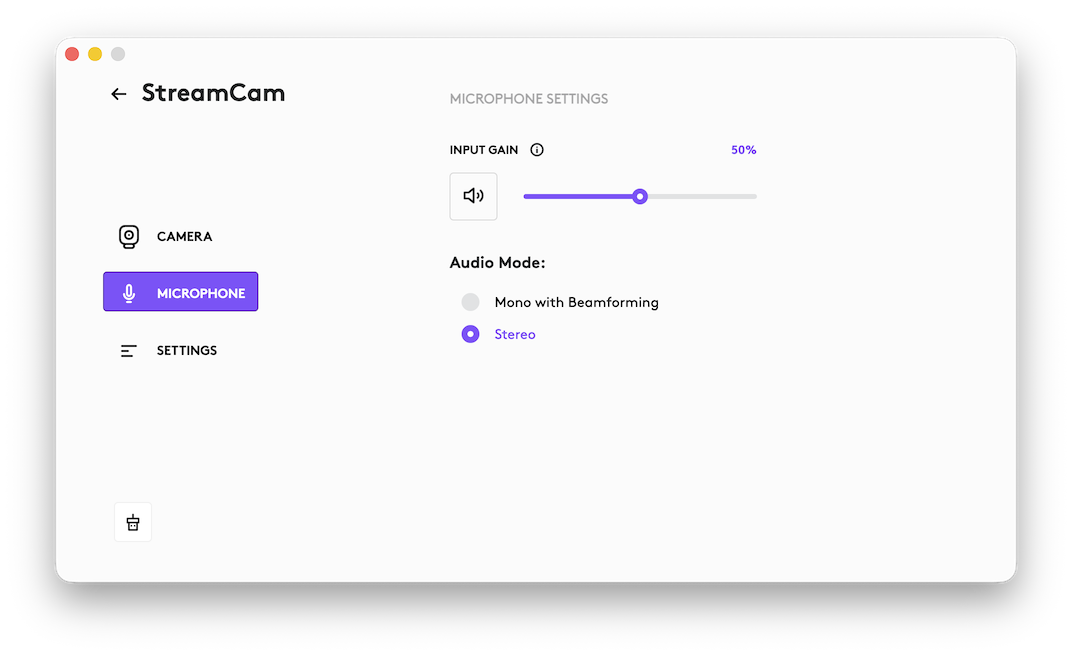
With the Logitech StreamCam you even have the option to switch between Mono with Beamforming and Stereo in the Logi Options+ software suite.
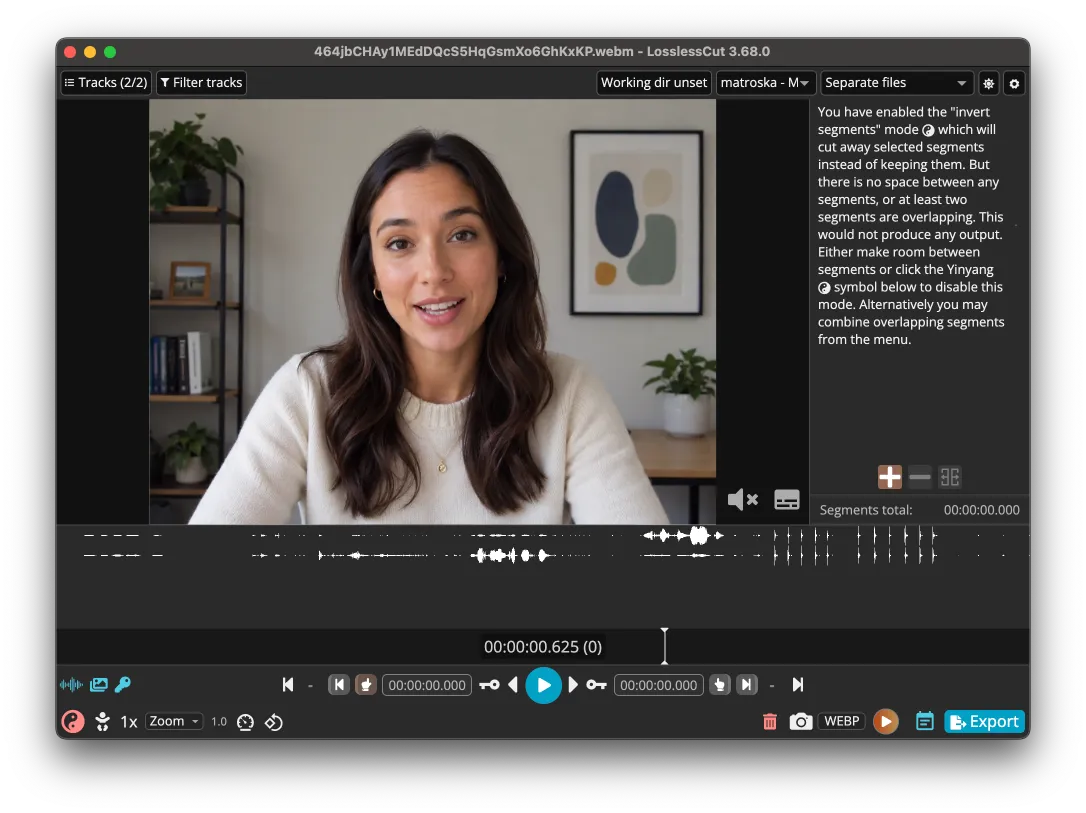
However, only some of the above hardware is capable of true stereo - 2 different audio signals. With some devices you just end up with a duplicate mono channel. We were able to get true stereo audio with Chrome from the Logitech C925E, while using OBSBOT Meet 2 produced the same mono channel twice.
Here's how 2 truly different audio channels look in the rather technical Lossless Cut video player's advanced mode. These 2 channels were created by moving around the Logitech C925E while recording.
To get true stereo audio, we also had to disable any audio processing (noise reduction, level adjustment, echo cancellation). More specifically, we set the noiseSuppression, echoCancellation, and autoGainControl audio constraints to false when calling getUserMedia(). When using the Pipe Recording Client to capture video, you can now specify custom constraints.
Safari currently supports only 1-channel audio. There's a WebKit bug open where you can follow a future implementation.
For more context you can check out:
- our
getUserMedia()audio constraints article from 2017 - our video recorder demo which will record 2 channel audio
- our MediaSream Recording API audio demo
